Instant Pricing That Books Jobs. Finally.
- Three-tier pricing cards
- Reserve Your Spot booking flow
- Lead capture + owner alerts
- No external API dependencies
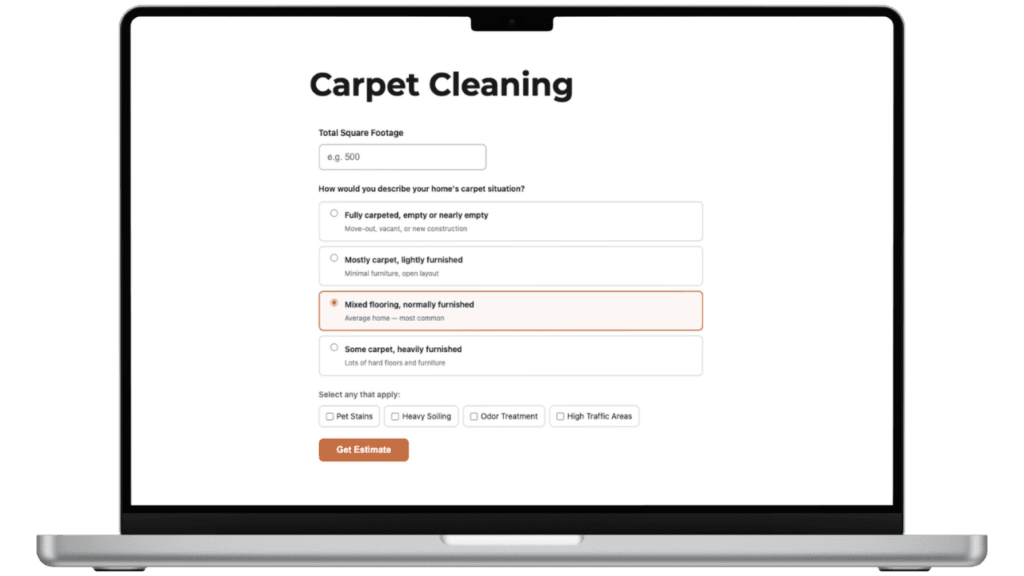
Your customers want a price. You're making them work for it.
An embeddable pricing calculator for any service business.
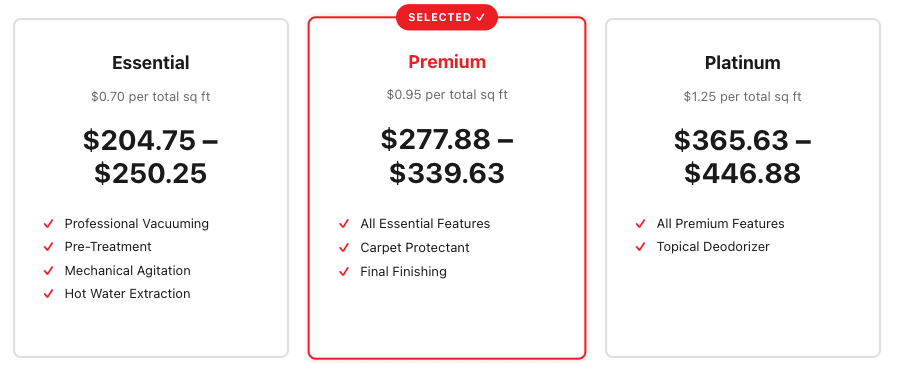
Three-Tier Pricing Cards
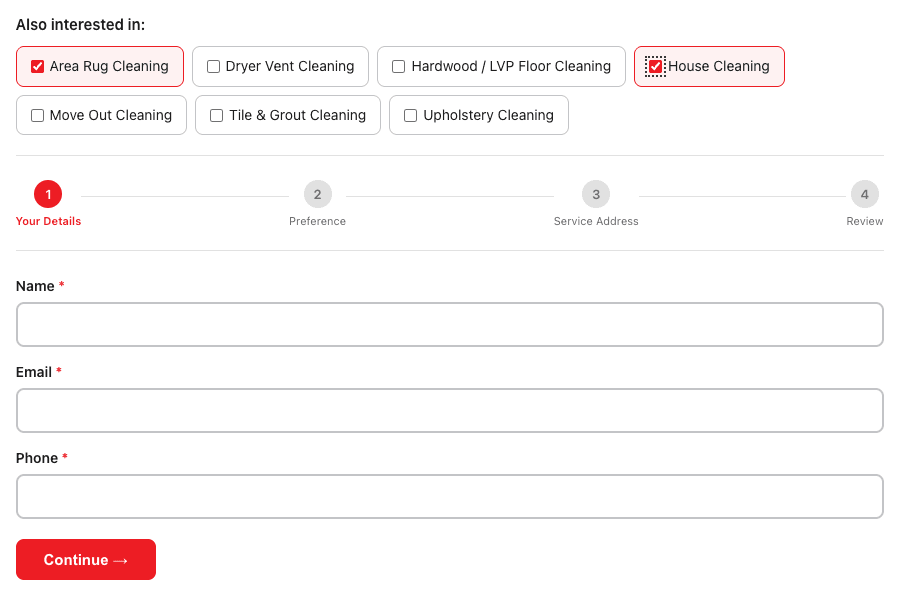
Reserve Your Spot — 3-Step Booking Flow
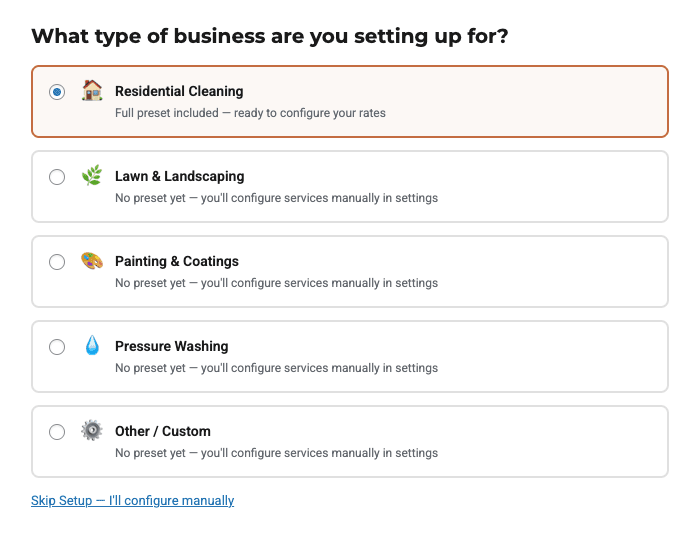
Setup Wizard with Industry Presets
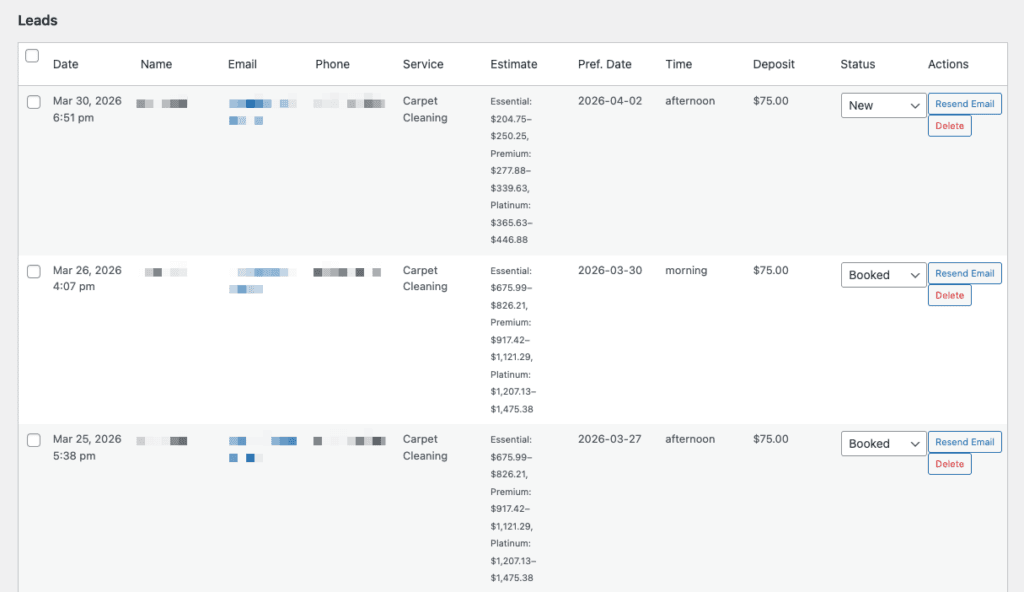
Lead Capture & Owner Notifications
Free runs the calculator. Pro books the job.
The free version is a complete carpet-cleaning calculator with three-tier pricing and a primary booking URL. Pro adds the booking flow, dynamic ranges, lead capture, and owner notifications.
Free
Residential Cleaning preset
- Carpet cleaning calculator
- Exact prices
- Three-tier package cards
- Primary booking URL
- Setup wizard
- Appearance controls
Pro
Starting at $99/year
- Everything in Free
- Price ranges + variance %
- Custom tier labels
- Additional calculator types
- Reserve Your Spot booking flow
- Deposit step configuration
- Secondary booking URL
- Also Interested In cross-sell
- Lead capture + owner notifications
Pricing that books jobs starts at $99/year.
Business
per year · 5 sites
- All Pro features
- Automatic updates
- Priority support
14-day money-back guarantee · Annual billing via Freemius
Common Questions
What service businesses can use this?
Today: residential cleaning is the shipping preset. On the roadmap: lawn care, painting, pressure washing, junk removal, and other quote-by-input service categories. Pro unlocks custom calculator types so you can configure inputs and outputs for any service that prices on measurable variables (square footage, room count, condition, etc.).
Why are price ranges better than exact prices?
Exact prices on a website create one of two problems — either you set it too low and lose margin on edge cases, or you set it too high and price yourself out of easy jobs. Ranges with a configurable variance let you set a transparent floor and ceiling, which builds trust without locking you into a quote you can’t honor.
How does the deposit step work?
The deposit step links to your existing Stripe or Square checkout URL — Estimator doesn’t process payments inside WordPress. This keeps the plugin lightweight and keeps your PCI scope unchanged. You configure the URL once; the calculator hands customers off at the right moment in the flow.
Does this work with Elementor / Divi / Bricks / Gutenberg?
Yes. The calculator is a shortcode and a block — it embeds anywhere any other WordPress content does. The styling inherits your theme’s typography and spacing, with appearance controls for buttons and accent color.
Will this integrate with Site Nitro: Locations?
Phase 2. The Locations plugin will be able to pass location and service context into Estimator so the calculator on a per-location page already knows which services are offered there. Today the calculator works fine independently — you embed it on whichever pages need it.
Does the plugin make external API calls?
No. All calculations run in the browser. Lead capture and notifications use WordPress’s standard email and database functions. The only outbound link is the customer-initiated jump to your booking provider (Stripe, Square, Calendly, etc.).
Can I rename the tiers in Pro?
Yes. Pro unlocks custom tier labels — “Essential / Standard / Premium”, “Bronze / Silver / Gold”, or whatever fits your brand. You also configure which tier gets the recommendation badge.
What happens if I cancel my license?
Your published calculator continues to function with its current configuration. Pro features become read-only — you keep the saved settings but lose the ability to edit Pro-only fields until the license is renewed.
Stop sending customers to a contact form.
Give them a price, give them a path to book, and capture the leads who aren’t ready yet.